NESCA’s Newton, MA location has immediate availability for neuropsychological evaluations. Our MA clinicians specialize in the following evaluations: Neuropsychological; Autism; and Emotional and Psychological, as well as Academic Achievement and Learning Disability Testing.

Visit www.nesca-newton.com/intake for more information or to book an evaluation.

Tag

neuropsychology and education services for children and adolescents Archives - Page 10 of 13 - NESCA

Subscribe to NESCA Notes

Getting Through Thanksgiving Day

By | NESCA Notes 2020

By: Madelyn (Maddie) Girardi, OTD, OTR/L

Occupational Therapist, NESCA

Setting Expectations

Thanksgiving may be different this year, but it can still be a long day full of sensory stimulation, new social interactions and possibly unfamiliar faces and experiences. By providing clear expectations, this can help prepare the child for upcoming events, minimize surprises and set the child up for success. Talk openly about events, review pictures of anticipated people/events, and/or watch a video describing an experience beforehand. Use a calendar or visual schedule at home to display the sequence of upcoming holiday events. A social story is a great tool to prep the child for the day (Lewis, 2016).

Open CommunicationBeing transparent with family members/friends can allow for greater understanding and a more positive experience for those involved. Help those present understand if there are certain obstacles/triggers that can be avoided, or if there are particular tools/language that can be incorporated throughout the day (Lewis, 2016).

Devotion of TimeFor parents, we know that much of Thanksgiving is devoted to cooking and meal preparation. Make sure to communicate with family members beforehand about the plan for the day. Will there be other children or adults around to play with the child, or should my child be expected to play independently if I am occupied? If so, have a few preferred toys/activities accessible. Or involve the child in the meal preparation process as appropriate.

Consider the Environment

How will your family be celebrating Thanksgiving or other holidays this year – in-person or virtually?

In-personFestivities this year may take place with modifications. Will it be less crowded this year? Will events be taking place in a different set-up this year (outside, in the garage, socially distanced)? If so, prepare your child by communicating expected changes beforehand.

  • Is my child expected to wear a mask or keep a distance from others? If so, use a social story or designate a “code word” to act as a reminder for proper mask/social distancing etiquette. Allow the child to practice wearing a mask beforehand. Model expected behavior (Lewis, 2016). Provide mask breaks as appropriate.

VirtuallyWith current social distancing guidelines, Thanksgiving interactions may instead take place virtually. If possible, it can be helpful to make children aware of this change beforehand. Many children may experience difficulty attending to a Zoom call. Here are some tips to help:

  • Provide a tool to help with heightened arousal: fidget toy, squeeze ball, putty, fidget band (at feet), chewing gum/oral tool, etc.
  • Consider the environment: Eliminate distractions as much as possible (visual plus auditory), ensure adequate lighting and proper seating, etc.
  • Rehearse events beforehand, identifying potential “rough spots” and positive coping strategies (Lewis, 2016). Proactively establish talking points if helpful.
  • Establish guidelines for both the beginning and end of a videocall. Use a timer if necessary.

Sensory EnvironmentThanksgiving Day will likely be full of stimulation for the senses: sight, smell, touch, sound and taste.

  • Food sensitivity: Many children may experience sensitivities to food textures, tastes or smells. Ensure access to “safe,” or preferred foods beyond traditional Thanksgiving dishes. If attending a celebration outside of the home, make sure to pack a few options for meals/snacks. For children who experience sensitivity to smell, consider bringing a comfortable nose plug.
  • Sensory overload: Ensure access to calming tools in the case that overstimulation, or sensory overload, occurs. Some options include a weighted or compression vest/blanket, chewy, squeeze ball, pushing/pulling activities, noise canceling headphones or a mini trampoline for a movement break. Create a calming jar with the child beforehand. Ensure that the child has a safe space they can go to, such as a dark, quiet room, when feeling overwhelmed. For children who may experience challenges self-regulating, help to guide the child in identifying states of arousal before a meltdown occurs. Use visuals as needed.


References

Lewis, K. S. (2016). Full Inclusion Holidays: An SLP offers tips to prepare clients for a season full of social and sensory stimuli—and people who may not understand their communication and behavioral challenges. The ASHA Leader21(12), 52-56.


About the Author

Madelyn (Maddie) Girardi is a Licensed Occupational Therapist in Massachusetts with experience in both school-based and outpatient pediatric settings. Maddie received her undergraduate degree in Exercise Science/Kinesiology at The College of Charleston in South Carolina and  earned her Doctorate degree in Occupational Therapy from The MGH Institute of Health Professions in Boston.

Maddie is a passionate therapist with professional interest in working with young children with neurodevelopmental disorders, fine and gross motor delays and Autism Spectrum Disorder (ASD).

To book an appointment or to learn more about NESCA’s Occupational Therapy Services, please fill out our online Intake Form, email info@nesca-newton.com or call 617-658-9800.


Neuropsychology & Education Services for Children & Adolescents (NESCA) is a pediatric neuropsychology practice and integrative treatment center with offices in Newton, Massachusetts, Plainville, Massachusetts, and Londonderry, New Hampshire, serving clients from preschool through young adulthood and their families. For more information, please email info@nesca-newton.com or call 617-658-9800.


OTs’ Remote Learning Equipment Tips!

By | NESCA Notes 2020

Co-authored by: Sophie Bellenis OTD, OTR/L and Jessica Hanna MSOT, OTR/L

With the momentous shift in education this year, many families are looking for support with the remote learning or hybrid learning process. Children are facing new barriers to education, such as inability to focus within the home setting, inappropriate work space and lack of independence with attention, initiation and motivation. Fortunately, many fabulous educators are stepping up to the plate, acknowledging these struggles and advocating on behalf of their students. Many families are working to help in their efforts by finding new products, tricks, tools or strategies to help promote learning and access to curriculums. Some of these products are gimmicky tools promising a “quick fix.” Some of these new tricks and tools may be beneficial, but today we are going to advocate for getting back to the basics and truly analyzing how best to use, set up and care for the foundational tools that children currently employ for learning. If using these tips feels difficult or is not helping your child to achieve the level of focus and commitment to learning that they need, we recommend reaching out to your school-based occupational therapist or getting an occupational therapy evaluation.

Things to Consider:

Laptops/Tablets

  • Basic Functionality – Your child is never too young to be part of the process. Teaching your child basic functionalities of their computer and tablet, as well as specific platform features is hugely important. Your child may find a visual checklist helpful to recall what basic features do, where to find them and when it is ok to use them.
  • Keep Screens Clean – As expected, kids often touch everything and anything, including computer and tablet screens. Make sure to check and wipe down screens to limit glare and distortion caused by sticky little fingers. Encourage your child to respect and handle their device with care.
  • Screen Height – According to the American Optometric Association, most people find looking at screens more comfortable when their gaze is pointed slightly down. Ideally, try to set up a computer screen with the center of the screen about 15-20 degrees below eye level (AOA, n.d.). This may be especially tricky with little learners, who tend to crane their necks up to look at a monitor or laptop screen, or students who tend to set their laptop way down on their lap.
  • Screen Distance – To decrease eye strain, try to position a screen about 20-28 inches away from the eyes (AOA, n.d.). Recent evidence shows that there is a significant increase in visual symptoms, such red eyes, blurriness and visual fatigue in individuals who look at screens from a distance of 10 inches or less (Chiemeke, Akhahowa, & Ajayi, 2007). While it is easy to set a computer a certain distance away, make sure that children are not holding an iPad or phone right up to their face during the school day.
  • Simplify Access to School Webpages and Links – Make sure that when your child opens up the computer, they can quickly and easily access all of their school websites and links for Zoom, Google Classroom, etc. One easy way to do this is by creating shortcuts on the desktop or having a visual guide printed next to them for exactly how to access their work.
  • Limit Access to Distracting Apps or Webpages – Is there a way to disable your child’s access to games and apps during school hours? While our students are working hard to attend to remote learning, the pull of distracting digital fun may be too enticing to pass up. Consider looking into some of parental control options on your device.
  • Learn the Limitations of Chromebooks – Due to the digital demands of remote learning, many school districts and community organizations are providing Chromebooks for students to use at home. While this is excellent and allows students access to the curriculum, some of these devices have limitations, such as not allowing communication to certain website or software platforms. Consider reaching out to your district if you need your child’s device to allow communication with an outside therapist or service provider.
  • Back Up Your Personal Work – Many families are sharing one computer or device between multiple family members. It is important to make sure that any important documents, folders or programs are fully backed up before giving a computer to your student. Accidents happen, and children can quickly delete files without meaning to! Creating a separate user login for each family member allows different privileges for each user and helps keep work separate and organized.
  • Say No to Open Drinks! – Water bottles with a lid will help to prevent any hardware damage from spills.

 Extra Equipment

  • Invest in a Mouse – Using a touchpad often requires substantially more fine motor precision and finger isolation than using a mouse. Most devices can connect with a mouse either through a USB port or a Bluetooth connection.
  • Headphones – Different children may benefit from different types of headphones. Some of our learners need earbuds or overhead headphones during Zoom meetings to help them attend to the class going on virtually. Some of our students may prefer being in a quiet space and listening to their teacher and classmates out loud. Additionally, some students may benefit from wearing noise cancelling headphones during independent work to limit the distraction from noises in their environment.
  • External Camera – Using an external camera that is not embedded in a computer or laptop may be helpful for our students who need movement or want to look at a screen while a teacher or therapist observes their work. An external camera pointed down at a student’s hand during an activity can help a therapist to evaluate a child’s fine and gross motor movements, while the student still sees a friendly face up on the screen.
  • Chargers – Help your children remember to keep their devices fully charged and to transport their charger between school and home if necessary. Many students benefit from a visual checklist when packing their bag for the next day. Chargers are hugely important for students who need to access their curriculum and may be especially difficult for students learning in a hybrid model.


References

American Optometric Association. (n.d.). Computer vision syndrome. Retrieved from https://www.aoa.org/patients-and-public/ caring-for-your-vision/protecting-your-vision/ computer-vision-syndrome?sso=y

Chiemeke S.C., Akhahowa A.E., Ajayi O.B. (2007) Evaluation of vision-related problems amongst computer users: a case study of university of Benin, Nigeria. Proceedings of the World Congress on Engineering. London: International Association of Engineers.


About the Co-authors:

Dr. Sophie Bellenis is a Licensed Occupational Therapist in Massachusetts, specializing in educational OT and functional life skills development. Dr. Bellenis joined NESCA in the fall of 2017 to offer community-based skills coaching services as a part of the Real-life Skills Program within NESCA’s Transition Services team. Dr. Bellenis graduated from the MGH Institute of Health Professions with a Doctorate in Occupational Therapy, with a focus on pediatrics and international program evaluation. She is a member of the American Occupational Therapy Association, as well as the World Federation of Occupational Therapists. Having spent years delivering direct services at the elementary, middle school and high school levels, Dr. Bellenis has extensive background with school-based occupational therapy services.  She believes that individual sensory needs and visual skills must be taken into account to create comprehensive educational programming.


Jessica Hanna has over 10 years of pediatric OT experience in conducting assessments and providing treatment of children and adolescents with a broad range of challenges and disabilities, including autism spectrum disorders, sensory processing disorders, visual impairments, cerebral palsy, executive function deficits and developmental disorders of motor function. Prior to joining NESCA, Jessica trained and worked in a variety of settings, including inpatient and outpatient hospital settings, private practice, schools and homes. She has served on interdisciplinary treatment teams and worked closely with schools, medical staff and other service providers in coordinating care. In addition, Jessica provided occupational therapy services at Perkins School for the Blind and Spaulding Rehabilitation Hospital pediatric inpatient unit, where she conducted comprehensive evaluations and interventions for children with a broad range of presentations.


To book an appointment or to learn more about NESCA’s Occupational Therapy Services, please fill out our online Intake Form, email info@nesca-newton.com or call 617-658-9800.


Neuropsychology & Education Services for Children & Adolescents (NESCA) is a pediatric neuropsychology practice and integrative treatment center with offices in Newton, Massachusetts, Plainville, Massachusetts, and Londonderry, New Hampshire, serving clients from preschool through young adulthood and their families. For more information, please email info@nesca-newton.com or call 617-658-9800.


Kids Want to Do Well and Would If They Could

By | NESCA Notes 2020

By: Cynthia Hess, PsyD
Pediatric Neuropsychologist Fellow and Therapist

Ross Greene, Ph.D., is the author of several books including The Explosive Child, Lost at School, Lost and Found, and his most recent book, Raising Human Beings. He also is the founder of Lives in the Balance, a non-profit dedicated to supporting families with behaviorally challenging children. The foundation of his approach is that all kids want to do well and would if they could. Dr. Greene emphasizes using a collaborative problem-solving approach, which he calls Collaborative and Proactive Solutions (CPS). This model is based on the assertion that challenging behaviors arise when a child is faced with expectations that exceed their capacity to respond adaptively. Thus, adults are encouraged to take a collaborative, proactive approach to managing challenging behavior as opposed to relying on punishment and rewards.

The focus of collaborative problem-solving is not on the child’s challenging behavior, which could range from crying and whining, to hitting and biting, but rather on the expectations the child is having difficulty meeting. Adults work to identify the problematic expectations and the skills the child is lacking to meet the expectations. Dr. Greene refers to unmet expectations as “unsolved problems.” The goal is to solve those problems rather than modify behavior. Dr. Greene describes the CPS model as non-punitive and non-adversarial, and as such, it decreases the likelihood of conflict, enhances relationships and improves communication.

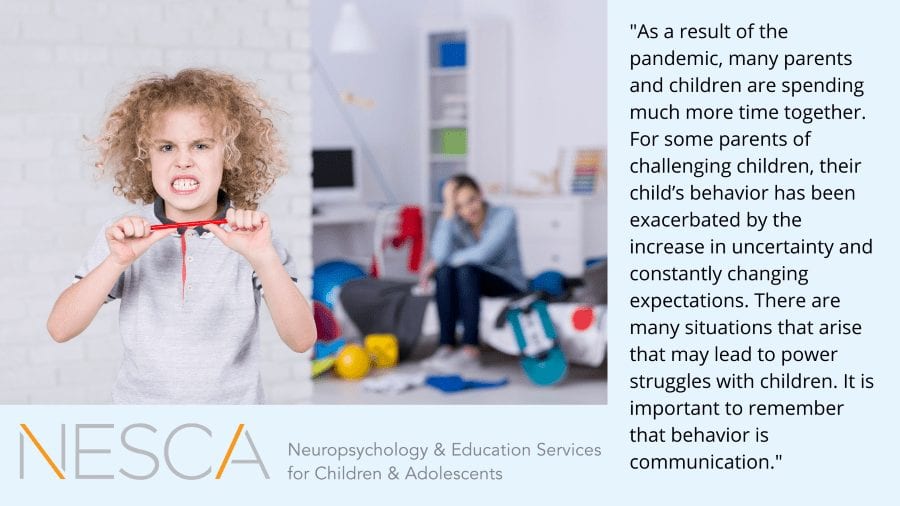
As a result of the pandemic, many parents and children are spending much more time together. For some parents of challenging children, their child’s behavior has been exacerbated by the increase in uncertainty and constantly changing expectations. There are many situations that arise that may lead to power struggles with children. It is important to remember that behavior is communication. Families are encouraged to reconsider their expectations and work collaboratively with their children to solve problems, especially when faced with extraordinary circumstances.

The specifics of collaborative problem-solving are much more detailed than there is space in this blog, and I encourage you to check out the resources listed below. While the consequences of the pandemic are certainly very stressful, they also present a good opportunity for families to enhance communication, uncover unsolved problems, teach skills and foster resilience.


Books for families by Dr. Greene:

The Explosive Child

Raising Human Beings

Website – contains educational videos and free resources for families and educators: https://www.livesinthebalance.org/about-cps

There are many YouTube videos available about CPS, but this one is pertinent to our current circumstances


About the Author

Dr. Cynthia Hess recently graduated from Rivier University with a PsyD in Counseling and School Psychology. Previously, she earned an M.A. from Antioch New England in Applied Psychology. She also worked as an elementary school counselor and school psychologist for 15 years before embarking on her doctorate. During her doctorate, she did her pre-doctoral internship with RIT in Rochester, N.Y. where she worked with youth ages 5-17 who had experienced complex developmental trauma. Dr. Hess’s first post-doctoral fellowship was with The Counseling Center of New England where she provided psychotherapy and family therapy to children ages 5-18, their families and young adults. She also trained part-time with a pediatric neuropsychologist conducting neuropsychological evaluations. Currently, Dr. Hess is a second-year post-doctoral fellow in pediatric neuropsychological assessment, working with NESCA Londonderry’s Dr. Angela Currie.


To schedule an appointment with one of NESCA’s expert neuropsychologists, please complete our online intake form


Neuropsychology & Education Services for Children & Adolescents (NESCA) is a pediatric neuropsychology practice and integrative treatment center with offices in Newton and Plainville, Massachusetts, and Londonderry, New Hampshire, serving clients from preschool through young adulthood and their families. For more information, please email info@nesca-newton.com or call 617-658-9800.


What Is A Representative Payee?

By | NESCA Notes 2020

By: Tabitha Monahan, M.A., CRC
Transition Specialist/Counselor

Your child has turned 18. The application for Supplemental Security Insurance (SSI) has been submitted and approved. You’ve been assigned to be the representative payee to manage the SSI funds. How can you still help your child gain money management skills while managing the responsibilities as required by the Social Security Administration (SSA)?

What is a Representative Payee?

Many individuals with disabilities can safely and successfully manage their finances without assistance. However, due to their disability’s nature, many individuals are unable to manage their finances without help. In response to individuals who need assistance to ensure their needs are being met through their benefits, the SSA created representative payees. A representative payee is a person or organization assigned by the SSA to be responsible for the benefits that a person receives from the SSA and ensures that the beneficiary’s needs, such as housing, food and medical care are met. A representative payee can be a family member, friend or another person. When the representative payee is an organization, there is often a fee (determined by the SSA), but when the payee is a friend or family member, the payee provides this service at no cost to the beneficiary. The representative payee will make a budget for the beneficiary to ensure basic needs are met and provide money for savings and personal spending if funds allow.

A representative payee is responsible for tracking and keeping detailed records of how the funds are spent and must provide those records to the SSA when asked. Many payees also need to fill out an annual reporting to the SSA detailing how the funds from the previous year were used. Recent changes in the law amended who needed to fill out such reports. Now, parents and spouses who are representative payees and live with the beneficiary no longer need to fill out the annual report. However, they do still need to keep detailed financial records.

How can I support my child’s financial literacy as their representative payee?

I have been a representative payee for individuals with disabilities for the vast majority of my career. In that role, I also worked to increase the individual’s financial literacy skills and increase their understanding of their financial situation. Having the individual involved in the process has innumerable benefits, the most basic of being the respect for their human rights. By having the individuals involved as much as they are capable and is healthy for them, much of the animosity and much of the paternalism of having another person control their finances, can be dissipated. Some individuals will still choose to have minimal involvement in their finances due to anxiety, comprehension or individual priorities. But most will want a say. By meeting your child where they are in their financial journey, you can build their confidence, independence and autonomy.

The first step I like to take in building an understanding around finances is helping the person comprehend where their money is going. Maybe that will be showing your child a bank statement. Perhaps it will be showing receipts. For many young people, the amount they receive in SSI seems like a lot of money. Helping them understand the value of the funds they receive can be one of the most challenging tasks.

Another activity I like to do with the beneficiaries I assist is asking them to create their budget. How would they like to see their money spent? What are their financial goals? Do they want to live on their own someday? How much do they want to set aside for savings for more significant expenses or purchases, like first, last and security deposit; a car; a vacation? Below is a very basic budgeting form I like to use as a starting point.

Beneficiary Budget Month Year
Income
SSI $783.00
MA State Supplement $114.39
Total Income: $897.39
Expense
Rent $265.00
Groceries $200.00
Transportation $55.00
Electricity $60.00
Cable $105.00
Cell Phone $75.00
Medication $15.00
Personal Spending $75.00
Savings $25.00
Total Spending: $875.00

Within the last few years, ABLE accounts have been getting a lot of press – and for good reason. For individuals who became disabled at birth or at a young age, an ABLE account is a wonderful way for the individual to save money for important needs and not have those assets affect the essential financial and healthcare benefits they need. The IRS recently updated the rules for ABLE accounts. In the resources below is an article from Disability Scoop with information about these updates.

One of the best ways to increase your child’s money management skills is to have them be responsible for portions of their money. They are many ways to do this, and it may take some trial and error to find the best way for your child. It is important to remember that you are not allowed to give the beneficiary direct access to the bank account as the representative payee. That means you cannot just hand over the debit card to your child. However, many companies offer programs that help young people (and adults) manage their money. I tend not to use the word “allowance” for adults when managing their money. Instead, I use words like “personal spending” or “Flex Money.” Whether I write a check to the individual for these funds or reload a prepaid debit card, giving the individuals the remaining money after necessities have been met gives them the freedom to make their own spending choices, whether good or bad. And yes, I have worked with individuals who were without personal spending money within days of receiving their excess funds for the month. Still, I have worked with individuals who have, over time, been able to build some savings and a greater understanding of money management. I have listed some in the resources, but these are not ones I have personally used, so please review and see which ones you think would work best for your family.

Another method that I find beyond useful to help build financial independence and assess current money management skills is to transfer the responsibility of paying a bill over to the individual. This should be a lower priority bill, like the cable bill, a streaming service or a cell phone bill. As time goes on and the person can pay the bill on time without prompts, increase the number of accounts the person is responsible for paying. As they build their financial independence, increase their personal spending to include funds for necessities, such as groceries and prescription copays. And remember, once a person has a representative payee, it does not mean that they must have one for life. Suppose your child is able to build the financial management skills necessary to manage their finances independently. In that case, a representative payee can be removed. If your child now has the skills to manage their own money, talk to one of your child’s providers. They can fill out a form to return this right to your child.

Have you been working with your child on money management skills? How have you fostered financial independence?


Resources:

Social Security Administration Representative Payee Webpage

Disability Scoop: IRS Issues Final Rules on ABLE Accounts

The Balance: The Best Debit Cards for Teens

Capital One MONEY Account

Dough Roller: Best Prepaid Debit Cards for Teens

FAQs for Beneficiaries that have Representative Payees


About the Author

Tabitha Monahan, M.A., CRC, is an experienced transition evaluator and vocational counselor. While she is well-versed in supporting a wide range of transition-aged youth, she is especially passionate and knowledgeable in helping clients and their families navigate the complex systems of adult services and benefits as well as medical and mental health systems. She is further adept in working individually with students of all abilities to empower self-advocacy and goal achievement.


To schedule an appointment with one of NESCA’s expert transition specialists or neuropsychologists, please complete our online intake form


Neuropsychology & Education Services for Children & Adolescents (NESCA) is a pediatric neuropsychology practice and integrative treatment center with offices in Newton and Plainville, Massachusetts, and Londonderry, New Hampshire, serving clients from preschool through young adulthood and their families. For more information, please email info@nesca-newton.com or call 617-658-9800.
 

The Ideal Remote Learning Workspace

By | NESCA Notes 2020

Co-authored by: Sophie Bellenis OTD, OTR/L and Jessica Hanna MSOT, OTR/L

Designated Space for Schoolwork – Make sure to set up a workspace with intention. While it may be easy to have children hop on the couch or sit at the kitchen table, having a space that is specifically used for academics will help them to compartmentalize and associate the space with focus and learning. There should be a concrete difference between a place to work and a place of rest. Ensure that this space is distraction-free and set away from the hustle and bustle of the home. Give your child some autonomy by allowing them to decorate their space and take ownership. A small desk, a card table in a quiet corner or a small bedside table set up in a private space are all options for workstations that children can make their own.

Remove Distractions – Take a moment to sit down at your child’s workstation and note any potential distractions. Some will jump right out, such as a TV or box of enticing toys within their line of sight, but some may be less obvious. Are they near a window facing a busy street or a dog park? Is there a substantial amount of visual clutter around their desk, such as busy posters or a family photo collage? Is their desk covered in mail, knickknacks, or arts and crafts supplies? If removing items is not an option, consider creating a physical barrier between your child and any environmental distractions by using a desktop study carrel/shield. Taking these distractions away will help a student to focus their energy on attending to school, as opposed to ignoring it and resisting distractions.

Organize Materials – Depending on your child’s age, they may need help organizing their workspace to be prepared for the day. For our young students, consider using toolboxes or tabletop organizers to hold their materials. A toolbox may have crayons, markers, scissors, pencils, erasers and glue sticks. If your child benefits from sensory supports, consider a toolbox with manipulatives, as appropriate per occupational therapy (OT) recommendations. Children are often very visual learners and may benefit from color-coded or designated folders for each subject or class they are taking. If a workspace is shared, keep your child’s personal materials all in one location, such as a personalized storage container that is easily portable, accessible and organized. Finally, remember to consider digital organization. Students are often told how to label and save documents by teachers at school. With the move to remote learning, children may need assistance organizing documents, folders and classwork on their computer so that they can easily find everything in the moment.

Adequate Lighting – Assess the lighting in your student’s workspace by checking to see whether there is any glare from the sun on the screen, whether they could benefit from a desk lamp to better illuminate their paper and determine whether there is a specific location with good natural light. If natural light is preferred, it’s best practice to position your electronic at a right angle to the light so the light is neither in front nor behind the screen. Avoid fluorescent light bulbs whenever possible. One more thing to consider is the fact since this past March, students and professionals alike have noticed an increase in headaches and visual fatigue due to spending substantial portions of the day in front of a screen. Technology is visually straining. Consider investing in a pair of blue light-reducing glasses, a newly popular solution to this problem that has shown promise for improving adolescent sleep, mood and activity levels (Algorta et al., 2018).

The Rule of 90 Degrees – When sitting at a table, children’s hips, knees and elbows should all be positioned at 90 degrees. Feet must be firmly planted on the floor. This helps to create a solid foundation. When children have a strong foundation and postural stability, they are set up to freely and accurately use their fine motor skills. Being grounded allows for easier writing, typing, cutting and manipulation of all the tools necessary for learning.

Appropriate Furniture – To meet the Rule of 90, it is important to consider the furniture that your student is using. Furniture needs to be the correct size or be modified to help children fit comfortably. If a desk/table is positioned too high, it will cause extra strain and fatigue. If your child’s feet do not reach the floor, consider using a step stool or fortified box for their feet. With regard to the chair itself, avoid options that spin and slide around as they are often distracting and make it difficult for children to pay attention.


References

Perez Algorta, G., Van Meter, A., Dubicka, B. et al. Blue blocking glasses worn at night in first year higher education students with sleep complaints: a feasibility study. Pilot Feasibility Stud 4, 166 (2018). https://doi.org/10.1186/s40814-018-0360-y


About the Co-authors:

Dr. Sophie Bellenis is a Licensed Occupational Therapist in Massachusetts, specializing in educational OT and functional life skills development. Dr. Bellenis joined NESCA in the fall of 2017 to offer community-based skills coaching services as a part of the Real-life Skills Program within NESCA’s Transition Services team. Dr. Bellenis graduated from the MGH Institute of Health Professions with a Doctorate in Occupational Therapy, with a focus on pediatrics and international program evaluation. She is a member of the American Occupational Therapy Association, as well as the World Federation of Occupational Therapists. Having spent years delivering direct services at the elementary, middle school and high school levels, Dr. Bellenis has extensive background with school-based occupational therapy services.  She believes that individual sensory needs and visual skills must be taken into account to create comprehensive educational programming.


Jessica Hanna has over 10 years of pediatric OT experience in conducting assessments and providing treatment of children and adolescents with a broad range of challenges and disabilities, including autism spectrum disorders, sensory processing disorders, visual impairments, cerebral palsy, executive function deficits and developmental disorders of motor function. Prior to joining NESCA, Jessica trained and worked in a variety of settings, including inpatient and outpatient hospital settings, private practice, schools and homes. She has served on interdisciplinary treatment teams and worked closely with schools, medical staff and other service providers in coordinating care. In addition, Jessica provided occupational therapy services at Perkins School for the Blind and Spaulding Rehabilitation Hospital pediatric inpatient unit, where she conducted comprehensive evaluations and interventions for children with a broad range of presentations.


To book an appointment or to learn more about NESCA’s Occupational Therapy Services, please fill out our online Intake Form, email info@nesca-newton.com or call 617-658-9800.


Neuropsychology & Education Services for Children & Adolescents (NESCA) is a pediatric neuropsychology practice and integrative treatment center with offices in Newton, Massachusetts, Plainville, Massachusetts, and Londonderry, New Hampshire, serving clients from preschool through young adulthood and their families. For more information, please email info@nesca-newton.com or call 617-658-9800.


Supporting Your Child’s Reading Development – Even During a Pandemic

By | NESCA Notes 2020

By: Alissa Talamo, PhD
Clinical Neuropsychologist, NESCA

Aside from allowing children to access school instruction, the ability to read provides a child with the opportunity to read for pleasure. Reading for pleasure has been shown to support a child’s cognitive development, improve concentration, increase a child’s vocabulary, expand a child’s level of creativity and imagination, improve empathy and provide the child with a deeper understanding of the world around them.

Here are some ideas to support reading for children of all ages:

Pre-school Years:

  • Develop awareness of different sounds
    • For example, have your child look for things around the home that start with a certain letter sound.
    • Play rhyming games.
    • Sing songs.
  • Read the same book to them daily for several days
    • Point out and talk about different vocabulary words each time.
    • Repetition helps build vocabulary and comprehension.

Early School Years:

  • Practice rhyming
    • Say a word and have your child see how many real or made-up words they can say that rhyme with that word.
  • Practice reading
    • Have your child read a page of a “just right” book aloud. Be sure it’s a page they can read with fewer than two or three reading mistakes.
    • Have your student use their finger to ensure they stop and look at every word rather than guess or skip words.
    • Another goal may be to pause whenever they see a period, since many struggling readers miss punctuation.

For All School Grades/Ages:

  • Read books of interest aloud to your child that they may not yet be able to read independently. This will allow your child to enjoy more sophisticated stories and increase their exposure to complex syntax and new vocabulary.
  • Continue to introduce a wide range of books.
  • Let your child’s areas of interest(s) help determine the books you choose.
  • Provide your child with experiences that help increase their background knowledge before reading about a topic, as this will then help with reading comprehension.
  • Ask your child questions about what you’re reading as you go. For younger children, this may involve them retelling the story. Ask older students to identify the key points in the text.

Finally, here is a list of apps and websites that can provide activities and books for you to enjoy as a family.


If you suspect your child may have reading challenges, join Dr. Talamo for a webinar on how to spot those early signs on October 15, 2020, from 2:00-3:00 PM ET.

Register in advance for this webinar: https://nesca-newton.zoom.us/…/WN_4XOoaw4IS-e8xEkHt6ev_A

References

https://www.childrensmn.org/2020/05/13/help-kids-keep-reading-stay-home-order-distance-learning/

https://www.eschoolnews.com/2020/06/30/how-to-effectively-support-struggling-readers-during-distance-learning

https://hr.uw.edu/coronavirus/caring-for-self-and-family/child-care/at-home-learning-resources/

www.commonsensemedia.org/lists/reading-apps-games-and-websites


About the Author:

With NESCA since its inception in 2007, Dr. Talamo had previously practiced for many years as a child and adolescent clinical psychologist before completing postdoctoral re-training in pediatric neuropsychology at the Children’s Evaluation Center.

After receiving her undergraduate degree from Columbia University, Dr. Talamo earned her doctorate in clinical health psychology from Ferkauf Graduate School of Psychology and the Albert Einstein College of Medicine at Yeshiva University.

She has given a number of presentations, most recently on “How to Recognize a Struggling Reader,” “Supporting Students with Working Memory Limitations,” (with Bonnie Singer, Ph.D., CCC-SLP of Architects for Learning), and “Executive Function in Elementary and Middle School Students.”

Dr. Talamo specializes in working with children and adolescents with language-based learning disabilities including dyslexia, attentional disorders, and emotional issues. She is also interested in working with highly gifted children.

Her professional memberships include MAGE (Massachusetts Association for Gifted Education), IDA (International Dyslexia Association), MABIDA (the Massachusetts division of IDA) and MNS (the Massachusetts Neuropsychological Society).

She is the mother of one teenage girl.


To book a consultation with Dr. Talamo or one of our many other expert neuropsychologists, complete NESCA’s online intake form.

Neuropsychology & Education Services for Children & Adolescents (NESCA) is a pediatric neuropsychology practice and integrative treatment center with offices in Newton, Massachusetts, Plainville, Massachusetts, and Londonderry, New Hampshire, serving clients from preschool through young adulthood and their families. For more information, please email info@nesca-newton.com or call 617-658-9800.

Sensory and Motor Strategies to Support Online Learning

By | NESCA Notes 2020

By: Julie Robinson, OT

Director of Clinical Services; Occupational Therapist, NESCA

For many families, this spring’s experience of remote learning and receiving integrated services was challenging, to say the least. As parents begin to think about their children returning to school this fall questions and concerns arise, not only about regression, but also how they will keep their children engaged in online learning.

For children with sensory processing difficulties and/or motor delays, there may be additional challenges in participating in Zoom classes and remote group learning. Some may have difficulty sustaining their attention, settling their body down to sit in front of a screen, managing the visual challenges of a screen, engaging socially or transitioning from a desired task to an academic one. Below are some suggested strategies, from an OT perspective, that may help your child participate in academics with less stress.

Regulation Strategies

The term “regulation” refers to someone’s ability to match their level of alertness (or arousal) to the environment and an activity. Throughout the day, our brain and our bodies are working to either increase or decrease our arousal levels for us to feel regulated and feel “just right” for the situation.

Sometimes children may have trouble with regulating themselves, causing them to experience dysregulation. Dysregulation can look very different depending on the child and can present as low levels of arousal or high level of arousal. This state may make it challenging for the child to be engaged and participate in certain activities, such as online learning. Sensory strategies are ways to help a child either increase arousal or lower arousal to match the needs of the task of online learning.

If a child is experiencing a low level of arousal, or their engine is running low, they should use a sensory strategy to help feel more alert. These include activities that have fast movement and increase heart rate. Taking movement breaks throughout the day is key! This could mean:

  • Jumping Jacks
  • Frog jumps or jumping on a trampoline
  • Playing at an outdoor playground
  • Creating an obstacle course
  • Doing something as simple as taking a walk around the house
  • Using a sit and spin or bouncing on a therapy ball
  • Hanging from a chin-up bar

If a child is experiencing a high level of arousal and their engine is running high, a sensory strategy to help them feel calm is beneficial. Calming strategies tend to be slower and more rhythmic. Ways to help slow down a child’s engine include:

  • “Heavy work,” such as wall push-ups, carrying books, laundry or groceries, wheelbarrow walk or crab walk can do the trick.
  • Yoga poses. Cosmic Kids Yoga on YouTube has some good videos with stories to encourage young children.
  • Creating a “sensory space” that is quiet and free from distractions. This could be a beanbag chair in the corner, a pop-up tent or a space behind a piece of furniture.
  • Using a weighted/heavy blanket or doing work on the ground with pillows underneath while spending time online may help your child to settle his or her body down. Explore the use of a therapy ball, T-stool, Move and Sit cushion or bike pedals that go under a chair to help kids who have difficulty sitting still.
  • Tactile play can be very calming for some children. Make a bucket of beans and hide small objects in it. Working with Playdough, shaving cream or water play can also help.
  • Encourage deep breathing to promote relaxation. Blow soap bubbles with a straw, pretend to blow out candles or blow a pinwheel.
  • An icy drink or popsicle can prove calming for many children. Or allow them to chew gum while learning to facilitate attention.

Strategies for Transition into Online Learning

As the new school year approaches, the change of routine into online learning may be a challenge for some kids. Here are some strategies to help your child adjust:

  • Create a clear schedule for your child that they can follow throughout the day (and make sure to schedule in plenty of breaks!). It may be helpful to use visuals or pictures, similar to a preschool schedule to help structure the time.
  • Make time for movement breaks around the house or outside. It may help to engage in a movement activity for 10-15 minutes before settling into an online class.
  • Use timers when needed (apps that have a visual timer, such as “Time Timer,” can be beneficial).
  • Create a designated space for the child to do their learning and make it their own.
  • Factor in a reward for good participation at the end of a virtual learning session, particularly for a child who seems resistant to remote learning.
  • Practice some brief online learning opportunities before school begins and slowly increase the time incrementally. Conduct Zoom calls with grandparents or other relatives where they read to the child to help maintain their attention. Search on YouTube together for some craft activities to follow along with. Khan Academy and Outschool have all kinds of online lessons for kids of all ages.

 Preventing Visual Fatigue in Online Learning

Along with the many challenges that come with online learning, the constant staring at electronics can cause strain or fatigue on the eyes. Eye strain can present as headaches, blurry vision, tired eyes and neck aches. In this world of virtual learning, it is more important than ever to help kids with strategies to prevent digital eye strain. Here are some strategies:

  • Turn down the screen brightness and turn up the contrast on screen settings.
  • Every 15-20 minutes, make sure to take a break from looking at the screen; set timers if needed. Sometimes placing your hands over your eyes and staring into them with open eyes can help. No matter what the day’s schedule is, always encourage a break from looking at the screen when needed.
  • Zoom in when text is too small.
  • Set limits for recreational use of electronics and avoid electronics before bed.
  • Sit in an ergonomically proper position when using the computer. This means keeping feet flat on the floor, lower back supported and shoulders related, and arms at a right angle.
  • Position the screen to avoid glare and use natural lighting as much as possible.
  • For a child who may have difficulty looking back and forth from a screen to paper, it may help to place the paper on a contrasting background of red or yellow.


About the Author

Julie Robinson is an occupational therapist with over 25 years of experience as a clinician. The work Julie does is integral to human development, wellness and a solid family unit. She particularly enjoys supporting families through the process of adoption and in working with children who are victims of trauma. Julie has extensive experience working with children diagnosed with an Autism Spectrum Disorder (ASD), or who have learning or emotional disabilities. She provides services that address Sensory Processing Disorder (SPD) and self-regulation challenges, as well as development of motor and executive functioning skills.

To book an appointment or to learn more about NESCA’s Occupational Therapy Services, please fill out our online Intake Form, email info@nesca-newton.com or call 617-658-9800.


Neuropsychology & Education Services for Children & Adolescents (NESCA) is a pediatric neuropsychology practice and integrative treatment center with offices in Newton, Massachusetts, Plainville, Massachusetts, and Londonderry, New Hampshire, serving clients from preschool through young adulthood and their families. For more information, please email info@nesca-newton.com or call 617-658-9800.


Encouraging Your Child to Read

By | NESCA Notes 2020

By: Alissa Talamo, PhD
Clinical Neuropsychologist, NESCA

According to Sally Shaywitz M.D., (Audrey G. Ratner Professor of Pediatrics-Neurology; Co-Director, Yale Center for Dyslexia & Creativity), dyslexia is highly prevalent, affecting one in five people, and it represents over 80% of all learning disabilities.

Even when a child does not meet the criteria for dyslexia, they may be a reluctant reader. Children who do not practice reading perform poorly on reading tests relative to children who do read on a regular basis. In addition, reduced reading time results in exposure to fewer words. In general, people use limited vocabulary during conversation compared to the language one is exposed to while reading. As such, a reluctant reader is at risk to have poorly developed vocabulary knowledge compared to same-age peers. They are also less likely to improve their reading skills over time. In her book, Overcoming Dyslexia (2003), Dr. Shaywitz shared the following information:

Through reading, a child is introduced to new concepts and information. In addition, the more a child is exposed to literature, the more likely reading will become an integral part of their daily life. However, how does a parent encourage a reluctant reader? Here are some ideas:

1.  Read a story to your child. Then ask them to talk about their favorite parts of the story.

2. Be ready to read or listen to books over and over again – this is how children learn. FYI – Did you know you can listen to the audio version of Mrs. Piggle-Wiggle (a series of children’s books by Betty MacDonald originally published in 1947) four times in a row on a drive from Boston to Maryland and four times in a row on the way back? I did this with my daughter when she was 4-years-old (she is now 16) and I do believe that, to this day, I can still quote parts of the book!

3.  Surround your children with reading material – this can be comprised of books, graphic novels, or magazines, anything that is of interest to your child.

4.  Let your child take out their own library card and go with you to the library to pick out their own reading material. Allowing a child to read for pleasure is the best way to create a more engaged reader. However, it is also important to make sure the child is choosing an age-appropriate book. A librarian can be very helpful in providing recommendations based on a child’s age and areas of interest.

 5.  Have your children practice reading whenever possible. Baking a cake? Ask them to help you read the instructions (perhaps your hands are too messy to turn the page!). Ordering food? Let them read the menu aloud to a younger sibling.

6. Use technology to your advantage. For example, I worked with a 14-year old boy with dyslexia who was intimidated by the size of the first Harry Potter book. However, I mentioned to him that, on the iPad, the book is no bigger than the iPad itself. He was more willing to carry an I-pad around and read at his own pace. Another advantage is that with an e-reader the child can place as much or as little text on a page as they wish, another way to reduce reading stress.

 7. Take advantage of audiobooks. This technology is a huge benefit for students who struggle to access books that are written for children their age but beyond their current independent reading level. The child can simply listen along, or they can hold the book and follow along with the text while listening. There are several ways to access audiobooks, including downloading them from your library for free!

8. Finally, model good reading habits. If your child never sees you reading, but you insist that they read, they will see reading as a chore rather than a pleasure. If you are not a strong reader, that is ok, you, too, can listen to audiobooks!

While these recommendations will hopefully help your child experience increased reading pleasure and exposure to literature, it is still important to find out the reason why your child is struggling to read. If your child has not had a thorough reading evaluation, you can ask your child’s school to complete such an assessment. In addition, you may wish to have your child evaluated by an independent evaluator.


This blog was previously published in NESCA Notes. 


About the Author:

With NESCA since its inception in 2007, Dr. Talamo had previously practiced for many years as a child and adolescent clinical psychologist before completing postdoctoral re-training in pediatric neuropsychology at the Children’s Evaluation Center.

After receiving her undergraduate degree from Columbia University, Dr. Talamo earned her doctorate in clinical health psychology from Ferkauf Graduate School of Psychology and the Albert Einstein College of Medicine at Yeshiva University.

She has given a number of presentations, most recently on “How to Recognize a Struggling Reader,” “Supporting Students with Working Memory Limitations,” (with Bonnie Singer, Ph.D., CCC-SLP of Architects for Learning), and “Executive Function in Elementary and Middle School Students.”

Dr. Talamo specializes in working with children and adolescents with language-based learning disabilities including dyslexia, attentional disorders, and emotional issues. She is also interested in working with highly gifted children.

Her professional memberships include MAGE (Massachusetts Association for Gifted Education), IDA (International Dyslexia Association), MABIDA (the Massachusetts division of IDA) and MNS (the Massachusetts Neuropsychological Society).

She is the mother of one teenage girl.


To book a consultation with Dr. Talamo or one of our many other expert neuropsychologists, complete NESCA’s online intake form.

Neuropsychology & Education Services for Children & Adolescents (NESCA) is a pediatric neuropsychology practice and integrative treatment center with offices in Newton, Massachusetts, Plainville, Massachusetts, and Londonderry, New Hampshire, serving clients from preschool through young adulthood and their families. For more information, please email info@nesca-newton.com or call 617-658-9800.

NESCA’s New OT, Speech & Language and Feeding Services

By | NESCA Notes 2020

An interview between Sophie Bellenis, OTD, OTR/L, NESCA Occupational Therapist; Real-life Skills Program Manager and Coach, and Julie Robinson, OT, NESCA

NESCA just announced that it has expanded its Occupational Therapy (OT) services to include Direct Sensory-/Motor-based OT for its existing and new clients.

As you may know, NESCA already offers educational OT assessments and consultation along with Executive Functioning (EF) and Real-life Skills Coaching, mainly for those students in grades 6 and up. Now, NESCA broadens the range of students it can provide with OT, feeding, speech, language and social skills.

To introduce NESCA families and community members to the new team and its services, NESCA’s Sophie Bellenis, OTD, OTR/L, sat down for an interview with Julie Robinson, OT, to learn more.

What is the main focus of the new OT services that we are adding here at NESCA?

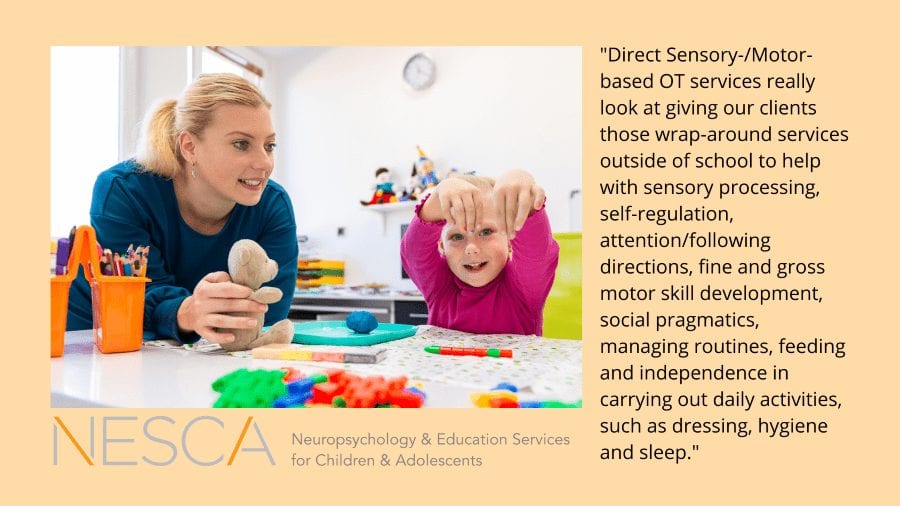
We are so excited to be on board and collaborating with the existing clinical team at NESCA to bring these new services to our community. The main focus of the new OT services is to provide instruction and practice, through teletherapy, and when appropriate at the home or in the community, in order to promote the best functionality kids can achieve on a daily basis. Where academic-based occupational therapy is focused on accessing the curriculum and receiving services while at school, Direct Sensory-/Motor-based OT services really look at giving our clients those wrap-around services outside of school to help with sensory processing, self-regulation, attention/following directions, fine and gross motor skill development, social pragmatics, managing routines, feeding and independence in carrying out daily activities, such as dressing, hygiene and sleep.

Who is a candidate for these new OT services?

We work with children of all ages, but our team typically works with children who are in the fifth grade or below. Many of the skills we are working on are skills that should be targeted and developed early on. Ideally, we are working with children from a young age or as soon as the challenges noted above come to light. Children with motor delays or sensory processing disorders, delays with play skills, and/or feeding difficulties are appropriate for these services.

How does the process of getting OT services start?

We usually start with an OT assessment that is focused on function. Insurance typically covers a 45-minute in-office screening. We would typically conduct a phone intake with the family, then look at the child’s skills using standardized tests for motor/sensory performance. With COVID-19, we are gathering sensory information from The Sensory Processing Measure and assessing other skill levels through interviews and checklists from parents, as well as 1:1 observation either virtually or in-person, as determined through the phone intake.

After an initial assessment is conducted, we work with families on a once or twice weekly basis. Each OT session is 45 minutes long and generally either begins or ends with a conversation with parents.

How do the services work?

We would typically provide services in-person inside the OT clinic at NESCA. Due to COVID-19, we are primarily providing services through telehealth, on a HIPAA-compliant virtual platform on a weekly basis. Sessions are 45 minutes each, with parents involved in part of each session to facilitate engagement of the child, to be coached by the clinician and for education about activities to incorporate in the days before the next session for follow through.

A small number of patients are being seen outdoors at their home or in the community, mainly when online engagement is too challenging, and when it can fit accordingly into clinician schedules. All patients are being seen individually for their services.

How do you set goals for the children you work with?

We get some of our background information for goal-setting from the assessment, but much of the real information on goals, strengths and weaknesses is revealed through observation during our sessions.

From the initial evaluation, we develop a brief report identifying the areas that we need to work on and collaborate with the parents to help achieve those goals and potentially target other areas that arise through ongoing observation and informal assessment during sessions and in parent consults.

When can families expect to see progress with goals being achieved?

We like to see our established goals being achieved in a three to six month time period. While every child is different, many kids go on to work with us for approximately 12 to 18 months, focusing on various goals throughout that period.

What are the related services that have just been introduced at NESCA?

Along with our new occupational therapy services, we are also now providing assessment and treatment of a variety of Speech & Language disorders, including dysphagia, childhood apraxia of speech, phonology/articulation disorder, receptive and expressive language disorder, social pragmatic communication disorder, autism spectrum disorder and language-based learning disabilities.

In addition, our therapists work with children with feeding and swallowing disorders, including transitioning infants to solid foods, weaning from tube feeding, improving sensory tolerance, developing chewing skills, increasing variety and volume of nutritional intake, and reducing avoidance behaviors during mealtimes. Our feeding therapists work with families to make mealtimes easier and more enjoyable for everyone using a systematic desensitization approach to increase sensory comfort with foods. We also employ the TR-eat®—Transdisciplinary Effective Assessment and Treatment—method for highly challenging feeding and eating issues.

Does NESCA accept insurance for its new services?

Direct Sensory-/Motor-based OT at NESCA (not academically-focused), is covered by BCBS and AllWays. Speech therapy at NESCA is covered by BCBS, AllWays and Harvard Pilgrim.

NESCA can provide receipts for Direct Sensory-/Motor-based OT sessions for clients to attempt to submit to their insurance carrier, should they not have insurance through the above carriers. NESCA does not submit claims to any carrier other than those outlined above and cannot guarantee any reimbursement when claims are submitted to them by the client.

It is also worth noting that Educational OT assessment, consultation and treatment is less often, or less completely, covered by insurance because insurance carriers typically only cover treatments that are deemed “medically necessary.” However, this can be a vital service because students spend such a significant amount of their day and week in school programming.

To learn more about NESCA’s Occupational Therapy and Related Services, please click here.


About the Interviewer

Dr. Sophie Bellenis is a Licensed Occupational Therapist in Massachusetts, specializing in educational OT and functional life skills development. Dr. Bellenis joined NESCA in the fall of 2017 to offer community-based skills coaching services as a part of the Real-life Skills Program within NESCA’s Transition Services team. Dr. Bellenis graduated from the MGH Institute of Health Professions with a Doctorate in Occupational Therapy, with a focus on pediatrics and international program evaluation. She is a member of the American Occupational Therapy Association, as well as the World Federation of Occupational Therapists. Having spent years delivering direct services at the elementary, middle school and high school levels, Dr. Bellenis has extensive background with school-based occupational therapy services.  She believes that individual sensory needs and visual skills must be taken into account to create comprehensive educational programming.

About the Interviewee
Julie Robinson is an occupational therapist with over 25 years of experience as a clinician. The work Julie does is integral to human development, wellness and a solid family unit. She particularly enjoys supporting families through the process of adoption and in working with children who are victims of trauma. Julie has extensive experience working with children diagnosed with an Autism Spectrum Disorder (ASD), or who have learning or emotional disabilities. She provides services that address Sensory Processing Disorder (SPD) and self-regulation challenges, as well as development of motor and executive functioning skills.


To book an appointment or to learn more about NESCA’s Occupational Therapy Services, please fill out our online Intake Form, email info@nesca-newton.com or call 617-658-9800.


Neuropsychology & Education Services for Children & Adolescents (NESCA) is a pediatric neuropsychology practice and integrative treatment center with offices in Newton, Massachusetts, Plainville, Massachusetts, and Londonderry, New Hampshire, serving clients from preschool through young adulthood and their families. For more information, please email info@nesca-newton.com or call 617-658-9800.


Voting Support for Individuals with Disabilities

By | NESCA Notes 2020

By: Tabitha Monahan, M.A., CRC
Transition Specialist/Counselor

General Election season is upon us. The major-party national conventions are over, and the Massachusetts primary results are in.

About 20% of eligible voters have a disabilitybut only 49.3% of individuals with disabilities voted in 2018. And that was an 8.5% increase from previous years among this increasingly important voting bloc. Campaigns, such as the REV UP Campaign by the American Association of People with Disabilities (AAPD), have launched voter registration drives, championed for disability rights and policies to be part of the political conversation, and to increase awareness and action to remove barriers that make it challenging for individuals with disabilities to vote.

So how can we help our young people with disabilities exercise their right to vote? In Massachusetts, even individuals with guardianship maintain their right to vote unless the court documents specifically state otherwise. There are many ways to support individuals, but it starts with helping them register. Massachusetts residents can register to vote online, when obtaining or renewing a driver’s license or state ID, or at the local registrar of voters’ office. Notices from MassHealth and the DTA also include voter registration forms.

Absentee/mail-in ballots have been in the news more than ever due to the pandemic. Still, they have long been an excellent strategy for individuals with disabilities who would have difficulty voting in person. Absentee ballots are a great option for individuals who may have difficulty navigating the multiple steps in person or have a lower processing speed.

All citizens are also allowed to bring a person to help them while they are at the polls. Encourage your young person that many people require assistance at the polls, and it is completely normal to have the help available if they need it. Each polling location should also have at least one AutoMARK Voter Assist Terminal, which helps individuals with visual impairments vote independently.

No one wants their vote not to be counted due to errors filling out their ballot. People can request a sample ballot in advance from their local registrar of voters (the Secretary of State’s website can give you the address and phone number of your local registrar). Practicing filling out ballots in advance (even ballots from previous elections) can help a new voter become comfortable with the form and is great fine motor skill practice for those who may need it!

The Massachusetts Secretary of State also creates a voter information booklet for each election regarding the ballot initiatives. These red booklets can be found at many community locations and frequently include the local library, post office and city/town hall. These booklets offer information on what a yay or nay vote would mean and have information from each initiative’s proponents and opponents. Use that sample ballot as a starting point for the different types of elected positions.

Help your young adult find out what the different boards do and why there is an election for things such as town selectman or zoning board. Help your young adult find the websites for candidates running for office and review the candidates’ stances on issues. Ask what issues they want to learn more about and are important to them.

Most importantly, remind them that their voice counts. As many disability rights activists have said, “nothing about us without us.” Individuals with disabilities are greatly affected by the policy decisions that occur in government at all levels. Since many individuals with disabilities have frequently experienced disenfranchisement, there are numerous groups working tirelessly to lessen and remove these barriers. How have you helped your young adult exercise their right to vote?


About the Author

Tabitha Monahan, M.A., CRC, is an experienced transition evaluator and vocational counselor. While she is well-versed in supporting a wide range of transition-aged youth, she is especially passionate and knowledgeable in helping clients and their families navigate the complex systems of adult services and benefits as well as medical and mental health systems. She is further adept in working individually with students of all abilities to empower self-advocacy and goal achievement.


To schedule an appointment with one of NESCA’s expert transition specialists or neuropsychologists, please complete our online intake form


Neuropsychology & Education Services for Children & Adolescents (NESCA) is a pediatric neuropsychology practice and integrative treatment center with offices in Newton and Plainville, Massachusetts, and Londonderry, New Hampshire, serving clients from preschool through young adulthood and their families. For more information, please email info@nesca-newton.com or call 617-658-9800.


Skip to content